
Composer shortcuts
Use Left Ctrl + Left Shift for LTR/left alignment and Right Ctrl + Right Shift for RTL/right alignment. The shortcut applies to the current paragraph, or to all selected paragraphs.
Change the current paragraph—or selected paragraphs—between LTR and RTL while composing, without changing the rest of the message. Individual chatbot messages can also be switched independently.

Use Left Ctrl + Left Shift for LTR/left alignment and Right Ctrl + Right Shift for RTL/right alignment. The shortcut applies to the current paragraph, or to all selected paragraphs.
Use the alignment controls below a message to switch it independently between LTR/left-aligned and RTL/right-aligned.
Your per-message direction choices are stored locally in your browser and restored when you revisit the conversation.
The extension runs locally. It does not collect, send, upload, or share your messages, settings, or other data with external servers.
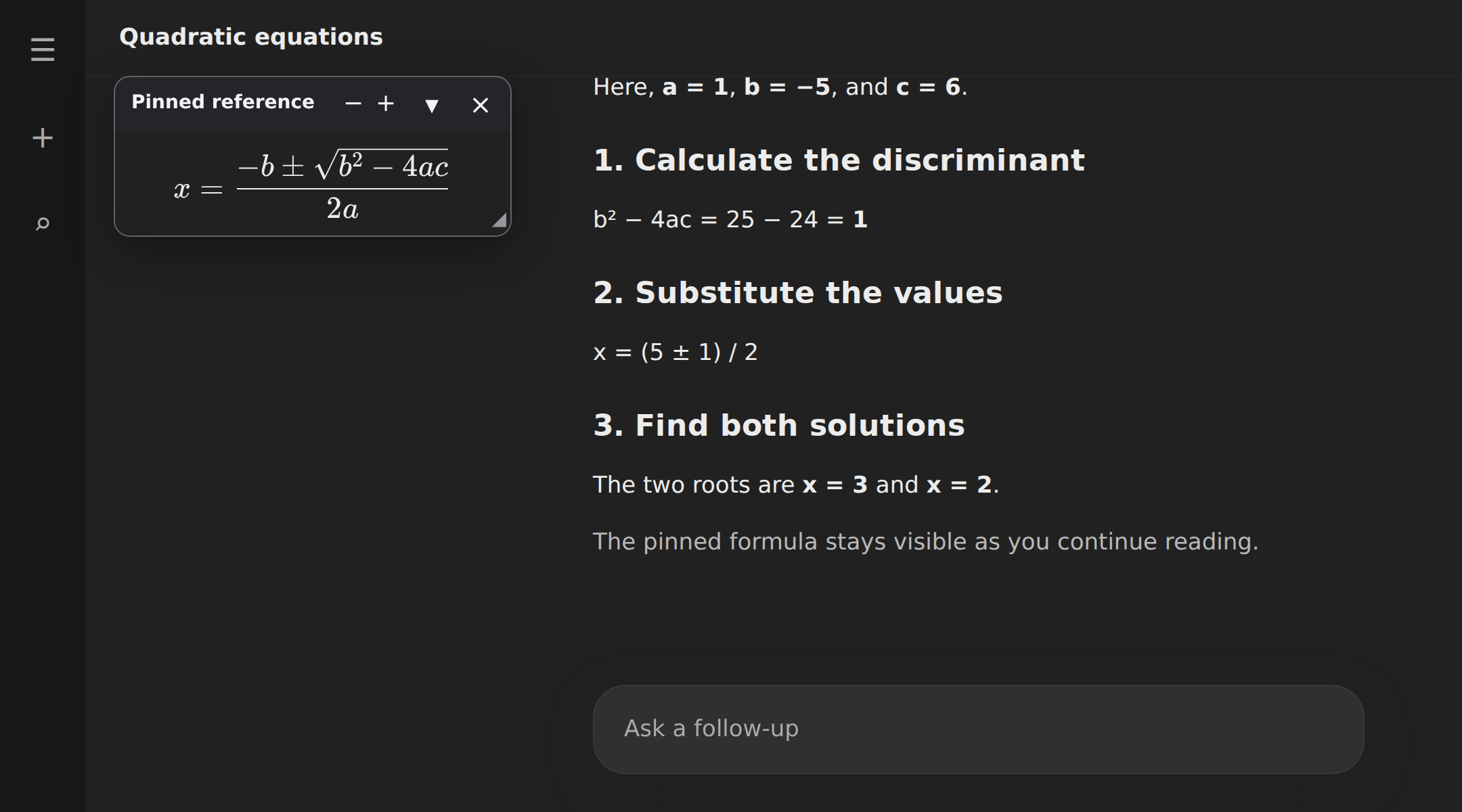
Pin selected text in a floating panel using the right-click context menu. Equations keep their formatting and stay visible while you scroll through the conversation.
Move or resize the panel, adjust its font size, or collapse it when you need more space. Available in ChatGPT, Gemini, Claude, and Grok.
Enable Floating reference panel in the extension settings, then choose Pin to floating panel from the right-click context menu. This feature is off by default.
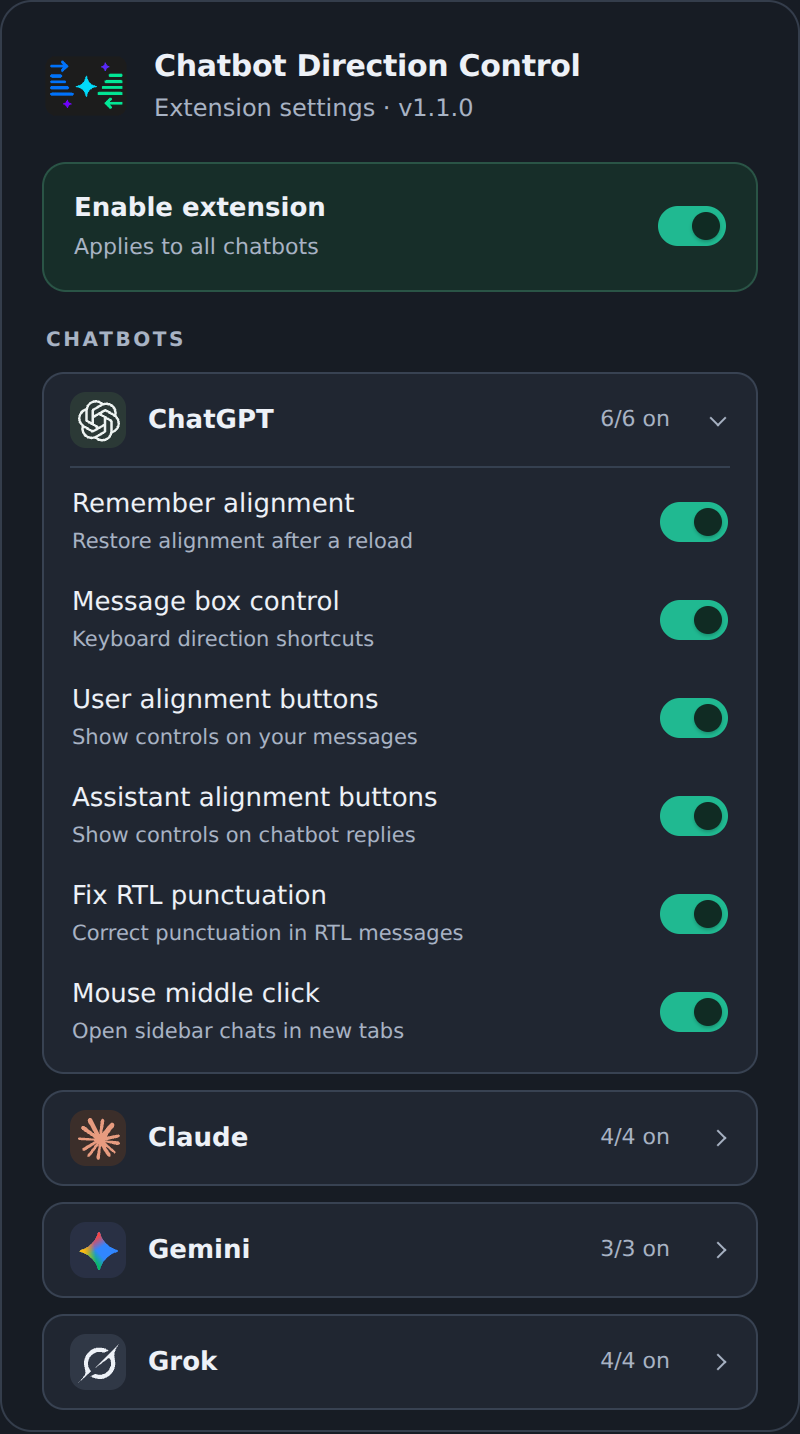
Click the extension icon to choose which features are enabled for each chatbot. Control alignment buttons, message box shortcuts, and whether message alignment is remembered after a reload.
ChatGPT also offers optional RTL punctuation correction and middle-click opening of supported sidebar chats and project folders in new tabs.
Changes apply immediately, and your preferences stay saved locally in your browser.


Direction choices stay in local browser storage, and pinned content stays in its tab. The extension has no analytics, telemetry, accounts, or external data service.